Find your tracks.
Save what you need.
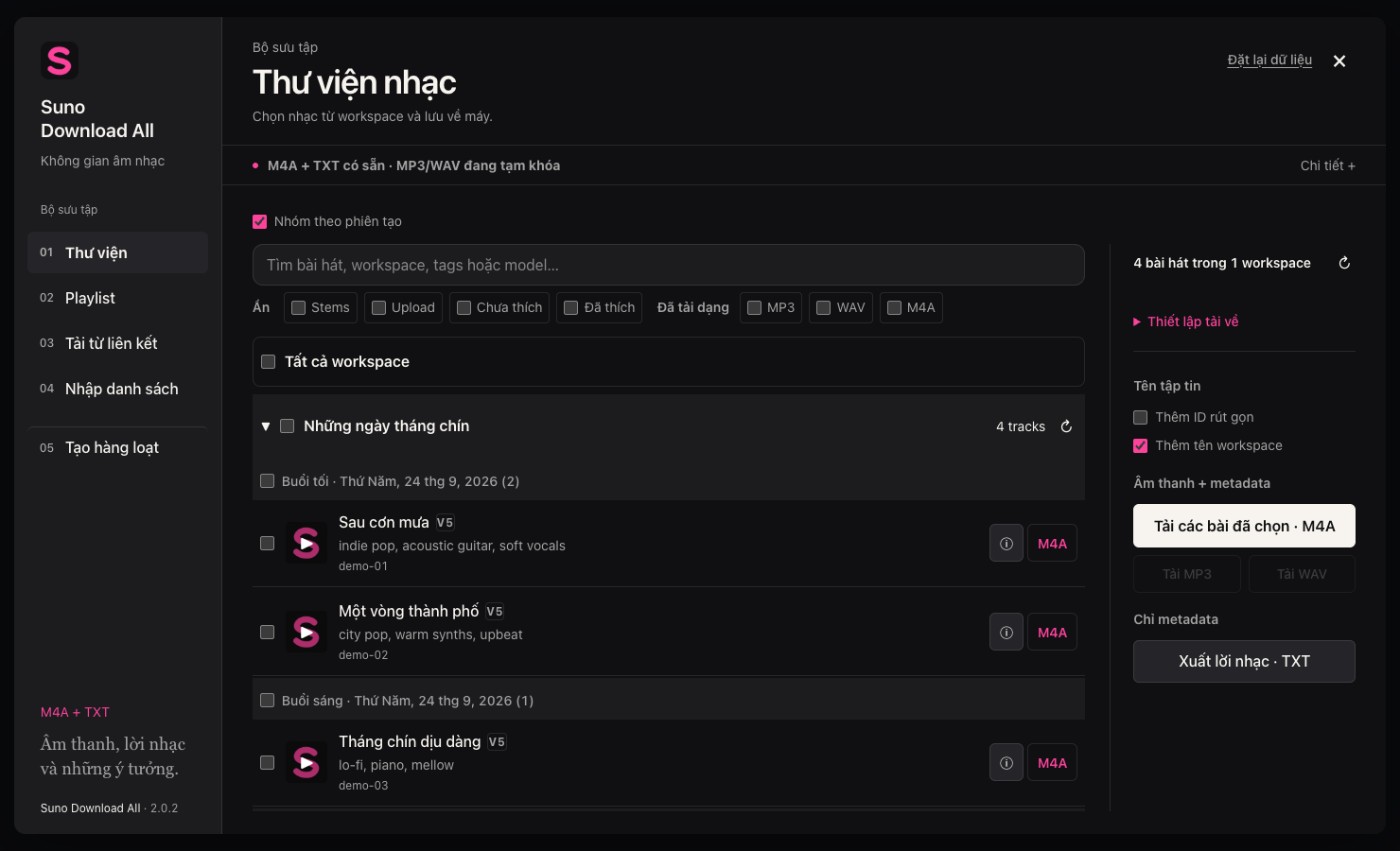
Browse workspaces and playlists, search, and select individual tracks or a full list. Download M4A audio or export TXT to keep track of your library.
Explore the library ↗ Suno Download AllBY MEOWSOLO
One place to organize your library, download tracks and queue new ideas by workspace. Inside the Suno tab you already use.
Download extension 2.0.2 See how it worksChrome on desktop · Install from ZIP
01 / WORK WITH YOUR LIBRARY
Browse workspaces and playlists, search, and select individual tracks or a full list. Download M4A audio or export TXT to keep track of your library.
Explore the library ↗Paste a Suno account or playlist link. Load completed tracks you have permission to access, then select and download from the same screen.
Download from a link ↗Write in Simple or Advanced mode. Choose a model and workspace for each job, add multiple prompts, and decide when to start or stop.
Learn about queues ↗02 / INTERACTIVE GUIDE
03 / ABOUT YOUR DATA
This landing page and guide do not require a Suno login or read your account or library.
Every screenshot uses sample data. No email address, account name, credit balance or private track from a signed-in account appears in the examples.
The extension uses your browser's Suno session to carry out tasks. Login tokens are kept in the extension's local storage; music generation requests go to Suno. This website does not receive that data.
04 / BEFORE YOU INSTALL
Download and unzip the package. Open chrome://extensions, turn on Developer mode, choose Load unpacked and select the folder containing manifest.json. Pin the extension, open Suno and reload the tab. This release is distributed as a ZIP, not through the Chrome Web Store.
Version 2.0.2 supports M4A downloads and TXT exports. MP3/WAV options are currently disabled. Only download tracks you are allowed to access and use.
Yes. Adding jobs to the queue only saves them; “Start · uses credits” sends the requests. Track counts and credit costs depend on the model, your account and Suno's current rules. Add 1–50 jobs at a time, up to 200 jobs per queue.
If Suno requests a CAPTCHA, complete it yourself in the active tab. The extension does not solve CAPTCHAs automatically. Stopping prevents new requests; jobs already accepted by Suno may continue. If you see “Check workspace”, review the results before submitting again to avoid duplicates.
Permissions include storage, downloads, tabs and reading network requests on the hosts declared in the manifest. These support reading the Suno session, saving lists and queues, and downloading files. Review the permissions in Chrome before using the extension.
No. Suno Download All is an independent tool presented by MeowSolo and does not represent Suno. Its integration depends on Suno's interface and API, so updates may be needed when Suno changes.
Text-based generation is supported. Audio uploads, Personas, cover/remix and Max Mode are not included. The interface and flows have been tested with sample data; real audio downloads and generation after a live CAPTCHA have not been fully verified. Start with one track or one job before running a batch. The extension interface is currently in Vietnamese; this English guide explains the corresponding controls.
05 / DONATE
If Suno Download All makes managing and downloading your music easier, your support helps fund continued development and improvements to the extension.
BANK TRANSFER IN VIETNAM
The QR code is preset to 100,000 VND. Please check the payment details before confirming.

INTERNATIONAL SUPPORT
PayPal will open a secure payment page where you can choose an amount and complete your donation.
SUNO DOWNLOAD ALL / 2.0.2
Download the package, unzip it and add it to Chrome.